
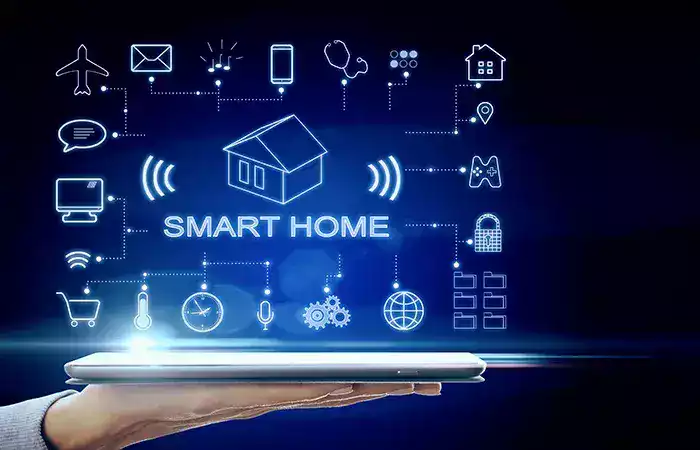
Lights that turn on when you walk in. A thermostat that learns your schedule. A doorbell that shows you who is outside while you are at work. A speaker that answers questions from across the room. Not long ago this was science fiction; today it is available at your local shop, and millions of ordinary homes already have some of it.
But “smart home” is a phrase that gets used a lot and explained rarely. What actually makes a home smart? How do all these gadgets talk to each other? And do you need to rewire your house to start? This guide answers all of it in plain English. A smart home is simply the most personal, visible corner of the Internet of Things — that idea, brought into your living room.
What is a smart home, really?
A smart home is a home where everyday devices are connected to a network, can be controlled remotely, and can act automatically based on rules or conditions you set.
Three ingredients turn an ordinary appliance into a smart one:
- Connectivity. The device can talk to a network and to other devices.
- Control. You can operate it from your phone or with your voice, from the sofa or from another country.
- Automation. It can act on its own — following a schedule, reacting to a sensor, or responding to something else that happened.
That last one is what really matters. A lamp you switch on with an app is a novelty; you have simply replaced a wall switch with your phone. A lamp that turns itself on at sunset, or when motion is detected, or when you unlock the front door — that is a smart home. The point is not remote control. It is that the house does things for you.
How smart devices actually connect
This is the part that confuses most people, because there is no single answer — smart devices use several different wireless technologies depending on what they need to do.
WiFi is the most common. Cameras, speakers, TVs, and plugs typically connect straight to your home router, which gives them plenty of speed and a direct path to the internet. The trade-offs are higher power use — which is why WiFi devices are usually plugged into the wall rather than battery-powered — and a crowded network if you add dozens of them. If you want the fuller picture, see how WiFi works.
Bluetooth handles short-range, low-power links, typically between a device and your phone when you are nearby. It is ideal for setup, for wearables, and for small battery-powered gadgets; our guide on how Bluetooth works explains why its short range is a feature rather than a flaw.
Low-power home protocols are the quiet workhorses. Technologies designed specifically for smart homes let tiny sensors run for a year or more on a small battery, and they often form a mesh — each device passes messages along for its neighbours, so a sensor at the far end of the house can reach the hub by hopping through the ones in between. They usually need a hub to translate for them, but they are extremely reliable for things like door sensors and light switches.
The practical takeaway is that your smart home is rarely one network. It is usually several, layered together — and something has to tie them into one experience.
The role of hubs and assistants
That something is a hub — the translator and coordinator of the home.
A hub speaks the different languages your devices use and gives you one place to control everything, so a sensor using a low-power protocol can trigger a light on WiFi. Just as importantly, it is where automations live: the rules that make the home act on its own. Some hubs are dedicated boxes; increasingly the role is filled by a smart speaker or display.
That is where voice assistants come in. The speaker on your counter is usually doing double duty as your hub and your interface — you say what you want, it understands, and it commands the devices. It feels like magic, but it is a chain of technologies working in sequence; our guide on how voice assistants understand you breaks down exactly what happens between your words and the lights turning on.
The other essential piece is the cloud. Most smart devices send data to servers on the internet, which is what lets you check your camera from another city and lets manufacturers deliver updates and new features. Some functions can run locally, which keeps working when the internet drops, but for most homes today, a good part of the intelligence lives online.
What you can actually automate
Once the plumbing makes sense, the fun part is what it enables. The common categories:
- Lighting. Bulbs and switches that dim, change colour, follow schedules, or respond to motion.
- Climate. Thermostats that learn your patterns and stop heating an empty house.
- Security. Cameras, video doorbells, and door and window sensors that alert you to what is happening.
- Entertainment. Speakers and smart TVs that start playing with a word.
- Appliances and plugs. A smart plug turns almost any ordinary device into a controllable one — the cheapest way to start.
- Sensors. Motion, temperature, humidity, water leaks. These are the eyes of the home and the trigger for most automations.
The real value appears when these combine. A single door sensor is mildly interesting; a door sensor that turns on the hallway light, disarms the alarm, and adjusts the thermostat when you get home is a home that works for you. Scenes and routines — one command that sets many devices at once, like “good night” locking the doors, dropping the temperature, and switching off every light — are where a smart home stops being gadgets and starts being useful.
Picture an ordinary morning to see it clearly. At six-thirty, the bedroom lights begin to brighten gently instead of an alarm blaring. The thermostat, which dropped the temperature overnight, started warming the house twenty minutes ago so it is comfortable by the time your feet hit the floor. As you walk into the kitchen, a motion sensor switches on the lights, and one word to the speaker starts the news. When you leave and the door closes, everything shuts off behind you and the cameras arm themselves. Nobody pressed a button or opened an app. That is the difference between owning smart devices and living in a smart home.
The honest trade-offs
A smart home is genuinely useful, but it is worth going in clear-eyed.
Compatibility can be frustrating. Not every device works with every ecosystem, and it is easy to end up needing three apps for three brands. Before buying, check that a device works with the assistant or hub you already use.
This has long been the biggest headache in smart homes, and the industry knows it. The push toward common standards — shared languages that let devices from different manufacturers work together regardless of brand — is aimed squarely at this problem, and things are improving. But the market is still a patchwork, so the practical advice remains unchanged: decide which ecosystem you are building around, and check compatibility before you buy rather than after.
More connected devices mean more to secure. Every camera, speaker, and sensor is a small computer on your network, and a poorly secured one is a way in. Change default passwords, keep devices updated, and buy from manufacturers who take security seriously — the same principles covered in cybersecurity basics.
Privacy deserves real thought. These devices sit in your most private space and collect data about when you are home, what you say near a microphone, and who comes to your door. Much of that goes to the cloud. It is worth knowing what a device collects and choosing brands with clear policies; our guide on protecting your personal data applies as much to your living room as to your browser.
There are dependencies. Some devices become far less clever when the internet or the hub goes down, and a few stop working entirely if a company shuts down a service.
How to start simply
You do not need to convert your whole house, and you certainly do not need to rewire anything.
Start with one problem worth solving — a dark hallway, a thermostat you always forget, wondering who rang the bell. Buy one device that fixes it. Smart plugs and smart bulbs are the classic entry point because they are inexpensive and require nothing more than screwing in a bulb or plugging something in.
Then pick your ecosystem before you expand. Choosing which assistant or platform you want to build around early on saves you from a drawer full of incompatible gadgets later. Add devices gradually, one at a time, and only when they solve something real. And once you have a few, spend ten minutes creating a routine that combines them — that is the moment most people realize what a smart home is actually for.
Conclusion
A smart home is not a house full of gadgets. It is a home where connected devices can be controlled from anywhere and, more importantly, can act on their own — following schedules, reacting to sensors, and responding to each other so the house quietly does things for you.
Underneath, it is a layered conversation. WiFi carries the demanding devices like cameras and speakers straight to your router. Bluetooth handles short, low-power links. Dedicated home protocols let tiny battery-powered sensors run for a year and pass messages along a mesh. A hub — often a smart speaker — translates between them, holds your automations, and gives you one place to control everything, while the cloud lets you reach your home from anywhere and keeps it updated.
The honest picture includes trade-offs: compatibility headaches, more devices to secure, real privacy questions, and dependencies on services staying online. None of that outweighs the benefits, but all of it is worth deciding deliberately rather than by accident.
The best advice is also the simplest: start small. One smart plug or bulb that solves one annoyance teaches you more than any guide, and it costs almost nothing to find out whether you like it. Pick your ecosystem, add devices slowly, and build the routines that make the house feel like it is on your side. That is a smart home — the Internet of Things, finally doing something useful in your own living room.