Your thermostat knows when you are coming home and adjusts the temperature before you walk through the door. Your refrigerator can add milk to your shopping list when you are running low. Your watch tracks your heart rate and alerts your doctor if something seems wrong. Your lights turn on automatically when you enter a room and turn off when you leave. Your doorbell lets you see and speak to visitors from anywhere in the world.
This is not science fiction. This is the Internet of Things.
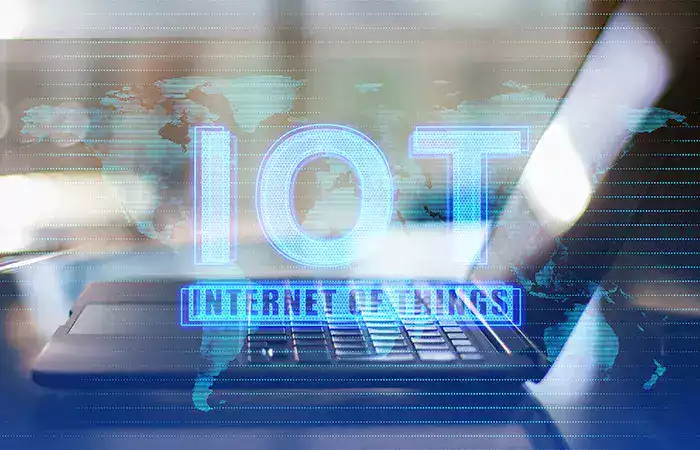
The Internet of Things (IoT) is the network of physical devices—everyday objects—that are connected to the internet and can collect, send, and receive data. These devices are not computers in the traditional sense. They are thermostats, light bulbs, doorbells, watches, speakers, locks, refrigerators, and even entire factory machines. They have sensors and software that allow them to communicate with each other and with you.
As an SEO and technology analyst who has watched IoT evolve from a niche concept to a mainstream reality, I have seen how these connected devices quietly reshape daily life. Most people interact with IoT devices every day without thinking about the technology behind them. The coffee maker starts brewing when your alarm goes off. The sprinklers skip watering because rain is forecast. The vacuum cleans while you are at work.
This guide explains what the Internet of Things is, how it works, where it shows up in your life, and the benefits and risks of living in a connected world.
Part 1: What Is the Internet of Things — The Simple Explanation
Let us break down the name.
Internet of Things. The “Internet” part means connected to the internet. The “Things” part means physical objects that are not traditional computers. So: physical objects connected to the internet.
A laptop is a computer. It connects to the internet. That is not IoT. A thermostat is not a computer. It controls the temperature in your home. When you connect that thermostat to the internet so you can control it with your phone or set schedules remotely, that thermostat becomes an IoT device — and a building block of what a smart home is.
The core idea is taking ordinary objects and giving them the ability to sense their environment, communicate over a network, and be controlled remotely.
The Three Parts of Every IoT Device
Almost every IoT device has three components:
1. Sensors: The device collects data from its environment. A thermostat has a temperature sensor. A doorbell has a camera and motion sensor. A fitness tracker has an accelerometer and heart rate sensor.
2. Connectivity: The device sends and receives data over the internet. Usually via Wi-Fi, Bluetooth, or cellular networks.
3. Control (hardware or software): The device can take action based on the data it collects or the commands it receives. A smart plug turns power on or off. A smart lock locks or unlocks. A smart light changes color or brightness.
Some devices also have storage (to save data when offline) and processing power (to analyze data locally instead of sending everything to the cloud).
Processing data locally becomes especially useful when an IoT device needs to respond quickly or when continuously sending large amounts of information to the cloud would be inefficient. Instead of transmitting every sensor reading to a distant server, some systems analyze information close to where it is generated and send only the results or important events to the cloud. Our guide to what edge computing is and why it matters explains how processing data closer to connected devices can reduce latency, bandwidth use, and dependence on distant cloud servers.
Part 2: How IoT Works — Behind the Scenes
You do not need to understand the technical details to use IoT devices. But understanding the flow helps you troubleshoot problems and make better purchasing decisions.
Step 1: Data Collection
The sensor in the device collects data. A smart thermostat measures the current temperature. A smart security camera captures video when it detects motion. A smart scale measures your weight.
Step 2: Data Transmission
The device sends the data over the internet to the manufacturer’s cloud servers. This happens over Wi-Fi, Bluetooth, Zigbee, Z-Wave, or cellular networks.
Why send data to the cloud? The device itself is usually small and cheap. It does not have the processing power or storage to analyze complex data or store long histories. The cloud servers do that heavy lifting.
Cloud computing provides the remote processing power and storage that many IoT devices cannot provide on their own. Instead of requiring powerful hardware inside every thermostat, camera, or sensor, manufacturers can send information to remote servers where it can be stored, analyzed, and returned to the device when needed. Our guide to what cloud computing is and how it works explains how these remote computing resources deliver processing, storage, and services over the internet.
Step 3: Data Processing
The cloud servers analyze the data. A motion alert from your security camera is analyzed to determine whether it was a person, a car, or a stray cat. Your thermostat’s temperature readings are compared to your schedule and your preferences.
Step 4: Action or Notification
Based on the analysis, the system takes action or sends you a notification. If your security camera detects a person at your front door when you are not home, it sends an alert to your phone with a video clip. If your thermostat sees that the temperature has dropped below your setpoint, it turns on the heat.
Step 5: Remote Control (Reverse Flow)
You can also send commands from your phone to the device. You open the app. You tap “Turn on porch light.” The command goes from your phone to the cloud to the light bulb. The light turns on.
The round trip (your tap to the light turning on) takes less than a second.
Part 3: Where IoT Shows Up in Your Daily Life
IoT devices are already everywhere. Here is how they appear in different areas of your life.
Smart Home
This is where most people first encounter IoT.
Smart speakers (Amazon Echo, Google Nest, Apple HomePod): Voice-controlled assistants that can play music, answer questions, control other smart devices, set timers, and manage calendars.
Smart thermostats (Nest, Ecobee): Learn your schedule and preferences. Adjust temperature automatically to save energy when you are away. Can be controlled remotely from your phone.
Smart lights (Philips Hue, LIFX): Turn on and off remotely. Change color and brightness. Can be scheduled or triggered by motion sensors. Some sync with music or movies.
Smart plugs: Turn any ordinary appliance into a smart device. Plug a lamp into a smart plug. Control the lamp from your phone. Set schedules. Monitor energy usage.
Smart locks: Lock and unlock your doors remotely. Give temporary digital keys to guests or service workers. Receive alerts when someone enters or leaves.
Smart doorbells (Ring, Nest Doorbell): Camera and two-way audio at your front door. See and speak to visitors from your phone, even when you are not home. Receive motion alerts.
Smart security cameras: Indoor and outdoor cameras that stream video to your phone. Detect motion, people, packages, or specific sounds (glass breaking, smoke alarms).
Wearable Devices
IoT devices you wear on your body.
Fitness trackers (Fitbit, Garmin): Track steps, heart rate, sleep quality, calories burned. Sync data to your phone for long-term trend analysis.
Smartwatches (Apple Watch, Samsung Galaxy Watch, Pixel Watch): All the features of fitness trackers plus notifications, apps, phone calls, and increasingly advanced health monitoring (ECG, blood oxygen, fall detection).
Medical wearables: Continuous glucose monitors for diabetes. Heart monitors for arrhythmia detection. Fall detection pendants for elderly users. CPAP machines that track sleep apnea and report data to doctors.
Smart Appliances
Major appliances are increasingly connected.
Smart refrigerators: Internal cameras let you see what is inside while at the grocery store. Some track expiration dates and create shopping lists. Some order groceries automatically.
Smart washing machines and dryers: Receive notifications when a cycle finishes. Start a load remotely. Diagnose problems and order replacement parts.
Smart ovens: Preheat remotely. Receive recipe instructions directly from cooking apps. Monitor cooking progress from your phone.
Smart Health and Fitness
IoT devices focused specifically on health.
Smart scales: Measure weight, body fat percentage, muscle mass, and water weight. Sync to health apps automatically.
Smart water bottles: Track water intake and remind you to hydrate.
Smart toothbrushes: Track brushing duration, coverage, and pressure. Provide feedback to improve oral hygiene.
Smart pill dispensers: Dispense the correct medication at the correct time. Notify caregivers if a dose is missed.
Smart City and Infrastructure
IoT extends beyond your home into your community.
Smart traffic lights: Adjust timing based on real-time traffic flow to reduce congestion.
Smart parking meters: Show available parking spaces on your phone. Pay from your phone without feeding a meter.
Smart streetlights: Dim when no one is around to save energy. Brighten when motion is detected.
Smart waste bins: Notify collection services when they are full, optimizing collection routes.
Part 4: The Benefits of IoT
Why would you want your refrigerator to have an internet connection? Here are the real benefits.
Convenience
The most obvious benefit. You do not have to get up to adjust the thermostat. You do not have to wonder whether you locked the front door (you can check on your phone). You do not have to come home to a dark house (the lights can turn on automatically when your phone’s location shows you are approaching).
Energy Savings
Smart thermostats learn when you are home and when you are away. They adjust temperature accordingly. Studies show typical savings of 10-15% on heating and cooling bills. Smart lights turn off automatically when no one is in the room. Smart plugs cut power to devices that are not in use.
Safety and Security
Smart security cameras let you monitor your home from anywhere. Smart locks let you give access to a dog walker or repair person without leaving a key under the mat. Smart smoke and carbon monoxide detectors send alerts to your phone even when you are not home.
Health Monitoring
Wearable devices track your activity, sleep, and heart health. Medical IoT devices can alert doctors to problems before you feel symptoms. Elderly users can live independently longer with fall detection and medication reminders.
Time Savings
Your vacuum cleans while you are at work. Your laundry starts while you are still in bed. Your coffee brews before your alarm rings. Small time savings add up.
Part 5: The Risks and Concerns of IoT
IoT devices also introduce new risks. Understanding these helps you use them safely.
Privacy Concerns
IoT devices collect enormous amounts of data about you. Your thermostat knows when you are home. Your fitness tracker knows your sleep schedule. Your smart speaker hears your conversations. Your security camera sees your comings and goings.
That data is sent to the manufacturer’s cloud servers. The manufacturer could sell that data to advertisers. Hackers could steal that data. Law enforcement could demand access. You have limited control over who sees your data after it leaves your device.
Security Vulnerabilities
IoT devices are famously insecure. Manufacturers rush products to market. They prioritize features over security. They stop providing updates after a few years.
Your smart light bulb might seem harmless. But if a hacker compromises your light bulb, they might use it as a entry point to your entire home network. From there, they could access your computers, phones, and sensitive data.
Weak default passwords. Unpatched vulnerabilities. Lack of encryption. These are common in IoT devices.
These weaknesses make IoT security part of the broader challenge of protecting modern digital systems. A compromised connected device can expose personal information, provide unauthorized access to a network, or become a starting point for attacks against other devices. Our guide to what cybersecurity is and how it protects your data explains how authentication, encryption, software updates, network protection, and other security layers work together to reduce these risks.
Complexity and Compatibility
Your smart home might have devices from five different manufacturers. They might not work well together. Each has its own app. Each has its own account. Each has its own schedule for updates. Keeping everything working can become a part-time job.
Device Lifespan and Obsolescence
When the manufacturer stops supporting a device, it might stop working entirely. Your smart lock becomes a regular lock (fine). Your smart speaker might become a brick (not fine). You cannot keep using an IoT device forever without security updates. It will eventually become a risk.
Part 6: How to Use IoT Safely
You do not need to avoid IoT entirely. You need to use it wisely.
Change Default Passwords Immediately
Many IoT devices come with default passwords like “admin” or “password123.” Hackers know these. Change every default password before connecting the device to your network. Use strong, unique passwords.
Keep Devices Updated
Manufacturers release security updates for known vulnerabilities. Install updates promptly. Most devices can be set to update automatically. Enable that.
Use a Separate Network for IoT
If your router supports it, create a separate Wi-Fi network (a guest network or VLAN) for your IoT devices. Keep your computers and phones on your main network. If an IoT device is compromised, the attacker cannot easily reach your important devices.
Disable Features You Do Not Use
Your smart speaker does not need to listen for voice commands if you never use voice. Your security camera does not need to record audio if you do not want it to. Turn off unnecessary features to reduce data collection and attack surface.
Research Before Buying
Check whether the manufacturer has a good security reputation. Check whether the device receives regular updates. Check whether you can use it without creating a cloud account (some devices work locally only). Read reviews from security-focused publications.
Conclusion
The Internet of Things is the network of physical objects—thermostats, lights, doorbells, watches, appliances, and more—that are connected to the internet. These devices collect data, communicate over networks, and can be controlled remotely. They use sensors to understand their environment. They send data to the cloud for processing, travelling across the same infrastructure our guide on how the internet works describes. They take action based on that data or on your commands.
IoT devices are already woven into daily life. Smart thermostats save energy and money. Smart security cameras let you monitor your home from anywhere. Wearable fitness trackers help you understand your health. Smart appliances save time. Smart city infrastructure improves traffic and reduces waste. Much of this “smartness” comes from how artificial intelligence works on the data these devices collect.
The benefits are real. Convenience. Energy savings. Safety and security. Health monitoring. Time savings. IoT devices handle routine tasks so you do not have to. They provide information you would not otherwise have. They give you control over your environment from anywhere in the world.
But IoT also introduces significant risks. Privacy concerns: these devices collect intimate data about your life. Security vulnerabilities: many IoT devices are insecure and can be hacked. Complexity: managing multiple devices from different manufacturers is frustrating. Obsolescence: devices stop working when support ends.
Using IoT safely requires attention. Change default passwords. Keep devices updated. Use a separate network for IoT devices. Disable features you do not use. Research before buying. These steps reduce risk without eliminating convenience.
The Internet of Things is not a passing trend. It is a permanent shift in how everyday objects work. Your coffee maker, your thermostat, your doorbell, your watch, your refrigerator, your car—more and more of them will be connected. The question is not whether to use IoT. The question is how to use it wisely.
Now you understand what IoT is, how it works, and how to balance the benefits and risks. Your connected life is already here. Make it work for you, not against you.