Not long ago, creating a professional-looking image meant hiring a designer, learning complex software, or spending hours searching stock photo sites. Today you can type a sentence describing what you want — “a cozy coffee shop on a rainy evening, warm lighting, watercolour style” — and an AI will produce it in seconds. It feels like magic, and for anyone who creates content, it is genuinely transformative.
But like any powerful tool, AI image generation rewards understanding. Type a lazy description and you get generic, awkward results; learn how it works and how to guide it, and you can produce striking, useful visuals for almost anything. This guide explains, in plain English, how AI image generators work, how to write prompts that get great results, what you can realistically use them for, and the important limits and ethics to keep in mind. It is a practical part of learning to use AI to create content.
What is AI image generation?
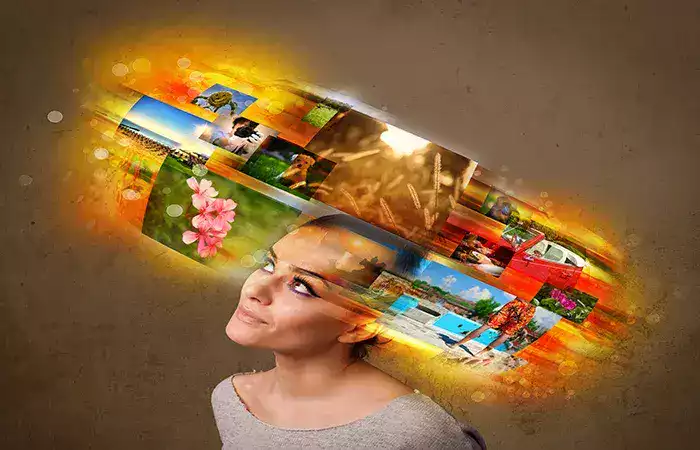
AI image generation is technology that creates brand-new images from a text description you provide. You write a prompt describing what you want to see, and the AI produces an original image to match — not by finding an existing picture, but by generating a new one pixel by pixel.
The crucial point is that these images are created, not copied. The AI is not searching a library for a photo of a “cat wearing a spacesuit”; it is producing a fresh image based on everything it learned about cats, spacesuits, and how images look. That is why you can describe something that has never existed and still get a convincing picture of it. This ability to turn words into original visuals is what makes the technology so useful and so novel.
How AI image generators actually work
Under the hood, AI image generators are built on the same foundations as other modern artificial intelligence: they learned from enormous numbers of examples.
During training, the AI was shown vast collections of images, each paired with a text description. Over millions of examples, it learned the connections between words and visual features — what “sunset,” “golden retriever,” or “art deco” actually look like, and how these ideas combine. It effectively learned the visual language of the world from captioned pictures.
When you then give it a prompt, it uses that learned knowledge to build a matching image. Many of today’s tools work by a fascinating method: they start with what is essentially random visual noise — like television static — and then, step by step, refine it into a clear image that matches your description, guided at every step by the patterns they learned. Think of it as sculpting a picture out of static, gradually removing the randomness until your requested image emerges. You do not need to follow the mechanism in detail; the key idea is that the AI generates the image from learned patterns, rather than assembling it from existing pictures.
The key skill: writing good prompts
Just as with text tools, the single biggest factor in your results is the quality of your prompt — the description you give the AI. A vague prompt produces a vague, generic image; a detailed one produces something far closer to your vision.
A weak prompt like “a dog” leaves almost everything to chance. A strong prompt paints a complete picture: “a golden retriever puppy sitting in a sunny garden, soft morning light, shallow depth of field, photorealistic.” The more useful detail you provide, the better the outcome. Good prompts typically describe several things:
- The subject — what is in the image, described specifically.
- The setting — where it is, and what surrounds it.
- The style — photograph, oil painting, cartoon, watercolour, 3D render.
- The mood and lighting — warm, moody, bright, dramatic, soft.
- The composition — close-up, wide shot, angle, framing.
Learning to describe images in this rich, specific way is the real skill of AI image creation, and it is very similar to the prompt-writing craft behind tools like ChatGPT. And because generating an image takes only seconds, you can experiment freely — adjust a word, change the style, try again — until you land on something you love. This quick cycle of prompting and refining is where the best results come from.
Getting started is easier than you might expect. Several AI image tools are available, many with free tiers that let you try them without spending anything, while paid plans typically offer more images, higher resolution, and commercial-use rights. Some run in your web browser, others inside apps you may already use, and image generation is increasingly built directly into design and office software. For a beginner, the practical advice is simple: pick one well-known tool, start with its free option, and spend your energy learning to write better prompts rather than hopping between platforms. The prompting skill transfers everywhere, so time invested in it is never wasted. Do check each tool’s terms, though, especially if you plan to use the images commercially, since usage rights vary from one service to another.
What you can use AI images for
Once you can generate images on demand, the practical uses multiply quickly. Content creators use AI images for blog illustrations, social media graphics, and thumbnails, giving every post custom visuals instead of the same tired stock photos everyone else uses. Small businesses create marketing materials, product mockups, and ad concepts without a design budget. People use it to visualize ideas — showing a client a rough concept, picturing a room design, or bringing a story to life.
It is also a genuine creative tool in its own right: many people simply enjoy making art, exploring styles, and turning imagination into images they could never have drawn by hand. And it works beautifully for brainstorming, letting you see many visual directions in minutes before committing to one. In each case, the value is the same — custom, original visuals produced in seconds, for a fraction of the traditional time and cost.
Many tools also let you refine an image rather than starting over each time. You can often generate variations of a result you like, ask for specific changes, or edit just part of an image while keeping the rest — replacing a background, adjusting a colour, or extending a picture beyond its original edges. Some let you upload an existing image as a starting point and transform its style. This turns image generation from a one-shot lottery into a back-and-forth process, much like editing a draft, where you steer the result closer to what you want with each step. Knowing these editing features exist saves you from settling for a “close enough” first attempt.
The limits worth knowing
For all its power, AI image generation has real weaknesses, and knowing them saves frustration. The technology famously struggles with fine details, especially hands and fingers, which can come out distorted, and with text inside images, which often appears garbled or misspelled. It can be inconsistent — getting the same character or object to look identical across several images is difficult. It does not truly understand the physical world, so it can produce results that look plausible at a glance but fall apart on closer inspection, with impossible reflections or objects that make no sense.
And it is not a mind-reader: complex or very specific requests may take many attempts to get right, and sometimes it simply cannot render exactly what you imagined. These are improving rapidly as the technology advances, but for now, a little patience and a willingness to edit or retry are part of the process.
The ethics you must respect
Because this technology creates such convincing images, using it responsibly matters — and this is not optional. A few principles keep you on the right side.
Do not create misleading or harmful images. AI can produce fake but realistic-looking photos, and using them to deceive — fake images of real people, fabricated “evidence,” or so-called deepfakes — is harmful and, in many cases, illegal. Never create images designed to mislead people about real events or to impersonate real individuals.
Respect people’s likenesses. Generating realistic images of real, identifiable people without their consent, especially in false or compromising situations, is a serious violation and can cause real harm.
Be mindful of copyright and style. Deliberately imitating a specific living artist’s signature style to pass off or profit from it raises genuine ethical and legal questions, and the rules around AI images and copyright are still evolving. Steer clear of protected characters and brands, just as you would anywhere else.
Consider disclosure. In many contexts — journalism, advertising, anything where people might assume an image is a real photograph — being honest that an image was AI-generated is the responsible choice, and increasingly an expected one.
Used honestly, AI image generation is a wonderful creative and practical tool. Used to deceive, it does real damage. The technology is neutral; your choices are what matter.
Conclusion
AI image generation turns words into original pictures, letting anyone create custom visuals in seconds simply by describing what they want. It works not by copying existing images but by generating new ones from patterns it learned across millions of captioned pictures — which is why you can conjure something that never existed and still get a convincing result. Understanding that it creates rather than retrieves is the key to using it well.
The skill that unlocks it is prompt-writing: the more clearly you describe your subject, setting, style, mood, and composition, the closer the result comes to your vision, and the fast generate-and-refine cycle lets you experiment your way to something great. The payoff is real — custom blog images, marketing graphics, concept art, and creative exploration, all without a design budget or hours of work. Just keep its limits in mind, from wonky hands to garbled text, and treat retries and edits as part of the process rather than a failure.
Above all, use it responsibly. The same power that makes AI images so useful also makes them easy to misuse, so avoid deception, respect real people and their likenesses, mind copyright, and be honest about what is AI-generated. Approach it that way and image generation becomes one of the most empowering tools in the modern content toolkit — a genuine part of learning to create content with AI, and a skill that puts professional-quality visuals within anyone’s reach.