Creating video used to be the most demanding kind of content there is — cameras, actors, editing software, hours of work, and real skill. Now you can type a description, or upload a script, and have an AI generate video footage for you. It is one of the newest and most striking abilities of artificial intelligence, and it is advancing at a remarkable pace.
AI video is younger and more limited than AI image generation, but it is developing fast, and it already opens doors that were closed to anyone without a studio. This guide explains, in plain English, how AI video generation works, the main types of tools available, how to guide them well, what you can realistically use them for, and the ethics you absolutely must respect — because video makes deception more powerful than ever. It is the natural next step after learning to create images with AI, and part of the broader craft of using AI to create content.
What is AI video generation?
AI video generation is technology that creates or transforms moving footage using artificial intelligence. In its most impressive form, you describe a scene in words and the AI produces a short video clip of it — no camera, no actors, no filming. In other forms, it animates a still image into motion, turns a script into a video of a realistic presenter, or automatically edits and enhances footage you already have.
The common thread is that AI handles work that used to require expensive equipment and specialist skills. Like other AI, it does not fetch existing clips and stitch them together; it generates new footage based on patterns it learned. And because video is simply a rapid sequence of images with sound, it builds directly on the same ideas as AI image generation — with one enormous added challenge: everything has to move convincingly and stay consistent from one moment to the next.
How AI video generation works
AI video tools learned their craft the same way other artificial intelligence does — from vast numbers of examples, in this case videos paired with descriptions. Over millions of clips, the AI learned not just what things look like, but how they move: how a person walks, how water flows, how a camera pans across a scene.
When you give it a prompt, it generates a sequence of frames that match your description and flow smoothly together. That last part is the hard bit. A video is not one image but many, and they must be consistent — the same character, the same lighting, the same world — from frame to frame, or the result flickers, morphs, and falls apart. Keeping everything coherent over time is what makes video generation far more difficult and computationally demanding than creating a single image. It is also why AI clips are usually short, and why the technology, impressive as it is, is still maturing. Understanding this “coherence over time” challenge explains almost every strength and weakness of AI video.
The main types of AI video tools
“AI video” actually covers several quite different tools, and knowing them helps you choose the right one for your goal.
Text-to-video is the headline capability: you describe a scene and the AI generates a clip of it from scratch. It is the most magical and the most limited, typically producing short, sometimes imperfect clips — but improving rapidly.
Image-to-video takes a still picture and brings it to life with motion, animating a photo or an AI-generated image into a moving shot. It gives you more control, since you start from an image you already like.
AI avatars and talking heads are among the most practical tools today. You type a script, choose a realistic digital presenter, and the AI produces a video of that presenter speaking your words, often in many languages. This has become hugely popular for marketing, training, and explainer videos, because it replaces filming a spokesperson entirely.
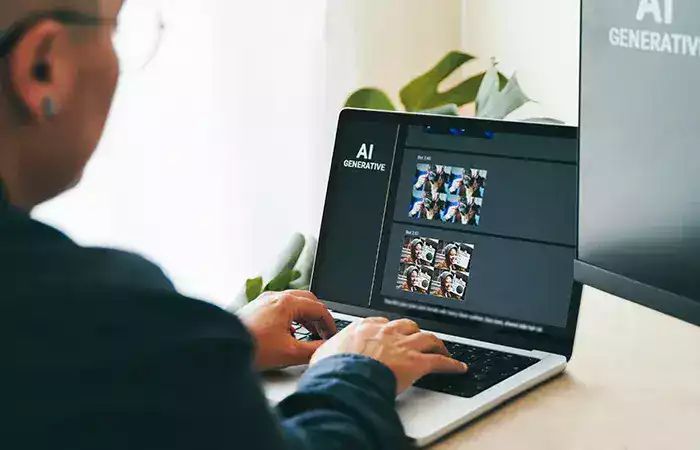
AI editing and enhancement tools work on video you already have rather than generating it. They can automatically edit long footage into short clips, add captions, remove backgrounds, improve quality, or translate and dub speech. For many creators, these are the most immediately useful AI video tools of all.
Different jobs call for different tools, and many creators combine them — perhaps an AI avatar to present, AI editing to polish, and text-to-video for a striking opening shot.
If you are just starting, do not try to master everything at once. Decide what you actually want to make first, because that points you to the right tool: a talking-head explainer needs an AI avatar tool, short social clips from existing footage need an AI editing tool, and imaginative scenes need text-to-video. Many of these tools offer free trials, so you can test one before committing, and paid plans usually unlock longer videos, higher quality, and the rights to use the results commercially. As with every AI tool, check the terms around commercial use and always review what the AI produces before you publish it — a quick human check catches the odd glitch or awkward moment the machine did not notice.
Writing good prompts for video
As with images and text, the quality of your prompt drives the quality of your result — but video adds a crucial new dimension: motion. A good video prompt describes not just what a scene looks like, but what happens in it.
Alongside the subject, setting, style, and mood you would describe for an image, add the action — what is moving and how — and the camera, such as a slow zoom, a pan, or a steady shot. For example, rather than “a city street,” try “a slow aerial shot flying over a neon-lit city street at night in the rain, cinematic, moody lighting.” Describing the movement and the camera work is what separates a lifeless clip from a compelling one. And since results can be unpredictable, expect to experiment and generate several versions — the same patient prompt-and-refine approach that works for ChatGPT and AI images applies here too.
What you can use AI video for
Even in its current form, AI video has genuinely useful applications. Creators make short social media clips, eye-catching intros, and visual effects that would once have needed a production team. Businesses produce marketing videos, product demos, and ads at a fraction of the usual cost, and use AI avatars to create training and explainer content without ever booking a studio.
It is also a powerful tool for repurposing: turning a long video, podcast, or article into short, captioned clips ready for social platforms, often almost automatically. And it lets anyone visualize an idea — a concept for a client, a storyboard, a mood piece — quickly and cheaply. The through-line is the same as with every AI content tool: it dramatically lowers the time, cost, and skill barrier that used to stand between an idea and a finished video.
The limits worth knowing
AI video is genuinely impressive, but it is also the least mature of the AI content tools, and its limits are real. Generated clips are usually short, often just seconds long, and stitching them into something longer takes effort. Coherence problems are common — faces and objects can morph, flicker, or behave strangely, especially over longer clips or with complex motion. Realism has gaps: physics can look subtly wrong, and fine details may not hold up. And control is limited — getting exactly the shot you pictured can take many attempts, and precise direction is still hard.
On top of that, high-quality AI video can be slow and costly to generate compared with images, because of the sheer computing power involved. None of this means the tools are not useful — it means you should expect to work with their quirks, lean on the types that best fit your goal, and treat the technology as powerful but still evolving. The pace of improvement here is fast, so today’s limits are steadily shrinking.
The ethics you must respect
Video makes everything about AI ethics more serious, because a realistic fake video is far more convincing — and far more dangerous — than a still image. Using this technology responsibly is not optional.
The gravest issue is deepfakes: realistic videos that make real people appear to say or do things they never did. Creating such videos to deceive, defame, impersonate, or harm someone is deeply unethical and, in many places, illegal. Never generate video of real, identifiable people without their consent, and never create footage designed to mislead people about real events. The potential for harm — from fraud to misinformation to damaging someone’s reputation — is enormous.
Beyond deepfakes, the same principles from all AI content apply: respect people’s likenesses, steer clear of copyrighted characters and material, and disclose when video is AI-generated in any context where viewers might reasonably assume it is real footage. As synthetic video becomes more convincing, honesty about what is real and what is generated becomes not just courteous but essential to maintaining trust. The tool itself is neutral; the responsibility for using it honestly is entirely yours.
Conclusion
AI video generation brings the power of a production studio within reach of anyone with an idea and a keyboard. Whether it is generating a clip from a text description, animating a still image, turning a script into a realistic presenter, or automatically editing footage you already have, it collapses the time, cost, and skill that video used to demand. Underneath, it builds on the same learned-from-examples foundation as AI images, with one defining challenge — keeping everything coherent as it moves — which explains both its magic and its rough edges.
To use it well, choose the right type of tool for your goal, and write prompts that describe motion and camera work, not just appearance, then expect to experiment your way to a result you like. Keep its current limits in mind: short clips, occasional flickering and morphing, imperfect realism, and real cost in time and computing. These are shrinking fast, but they are part of the process today.
Most of all, respect the ethics, because video raises the stakes. The same realism that makes AI video so useful makes deepfakes genuinely dangerous, so never deceive, never impersonate real people without consent, and be honest about what is AI-generated. Approached responsibly, AI video is a remarkable new creative tool and a natural companion to creating images with AI — one that is rapidly turning anyone with imagination into someone who can make video.