
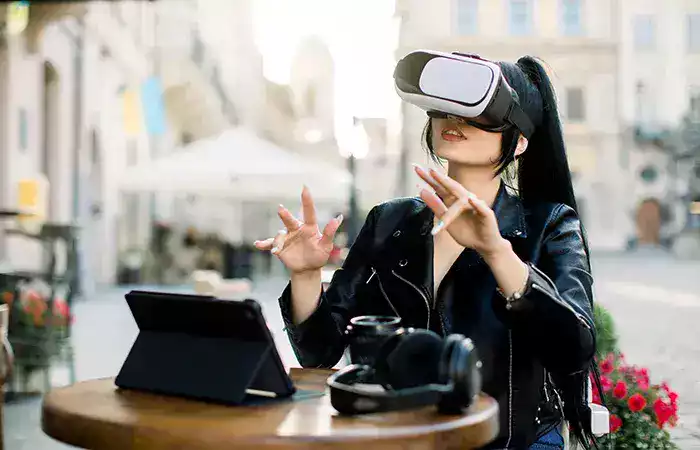
Augmented reality vs virtual reality: what is the difference, and which technology is more useful in everyday life? Although both technologies combine digital experiences with advanced displays and tracking systems, they work in very different ways.
Augmented reality (AR) adds digital information to your view of the real world. Virtual reality (VR) creates an immersive digital environment that replaces what you normally see around you.
You may already use AR when trying a virtual pair of glasses on your smartphone or previewing furniture in your living room. VR is different: wearing a headset can make you feel as though you are standing inside a virtual classroom, game, or training simulation.
Neither technology is automatically better. The right choice depends on what you want to accomplish, your budget, the available equipment, and how comfortable the experience is to use.
This beginner-friendly guide explains how AR and VR work, their differences, common applications, costs, benefits, limitations, and practical safety considerations.
What Is the Difference Between Augmented Reality and Virtual Reality?
The most important difference is your relationship with the physical environment.
Augmented reality adds digital elements to the real world. You can still see your surroundings while interacting with information, graphics, or three-dimensional objects.
Virtual reality replaces your visual surroundings with a computer-generated environment. You interact with that environment through a headset, motion tracking, controllers, or hand gestures.
For example, imagine buying a new sofa.
- With AR, you can use your phone to see a digital sofa positioned inside your actual living room.
- With VR, you could explore a completely virtual furniture showroom without physically visiting it.
Both experiences may help you make a decision, but they solve different problems.
Augmented Reality vs Virtual Reality: Comparison Table
| Feature | Augmented Reality (AR) | Virtual Reality (VR) |
|---|---|---|
| Primary purpose | Enhance the physical environment | Create an immersive digital environment |
| View of real surroundings | Usually visible directly or through a camera | Typically replaced by a virtual scene |
| Common devices | Smartphones, tablets, AR glasses | VR and mixed-reality headsets |
| Typical interaction | Touchscreen, gestures, voice, spatial controls | Controllers, head movement, hand tracking |
| Common uses | Navigation, shopping, maintenance, education | Gaming, simulation, training, virtual tours |
| Environmental awareness | Often easier to maintain | Requires additional precautions |
| Typical equipment cost | Can start with an existing smartphone | Usually requires a compatible headset |
| Main technical challenge | Aligning digital content with the real world | Maintaining convincing immersion and comfort |
The table describes typical experiences. Some modern headsets support both virtual environments and camera-based views of the real world, so the boundaries are not always absolute.
What Is Augmented Reality?
Augmented reality is technology that places digital content in the context of your physical surroundings.
That content may include text, arrows, animations, labels, or three-dimensional objects.
The key feature is that digital information appears alongside a view of the real environment.
How Does Augmented Reality Work?
Many AR systems combine cameras, sensors, computer vision, and software.
A typical smartphone AR experience follows several steps:
- The camera captures a view of the surrounding environment.
- Software analyzes visual features and estimates the device’s movement.
- The system identifies suitable positions for digital objects.
- A three-dimensional object or graphic is rendered on the screen.
- The object is updated as you move the device.
For example, an AR app might recognize the approximate position of a floor and display a virtual chair that appears to remain in place as you walk around it.
Not every AR application understands its surroundings equally well. Some simply overlay graphics on a camera image, while others use more advanced environmental tracking.
Examples of Augmented Reality in Everyday Life
- Furniture previews: see whether a table or sofa fits the appearance of a room.
- Virtual try-ons: preview glasses, makeup, or other products.
- Navigation: display directional information over a camera view.
- Education: examine a digital model of the human heart or solar system.
- Maintenance: display visual instructions while inspecting equipment.
- Entertainment: use camera effects and interactive filters.
AR is particularly useful when a person needs digital assistance without completely disconnecting from the physical environment.
What Is Virtual Reality?
Virtual reality is a technology that creates the experience of being inside a computer-generated environment.
Users typically wear a headset that displays a virtual scene and updates the view as they move their heads.
Depending on the system, users may interact through handheld controllers, tracked hands, or other input devices.
How Does Virtual Reality Work?
A VR headset generally combines displays, optical lenses, motion sensors, and software.
The system performs several important functions:
- Displays a virtual scene designed for stereoscopic viewing.
- Tracks head rotation and, on many devices, position.
- Updates the scene in response to movement.
- Tracks controllers or hands when supported.
- Uses sound and sometimes vibration to reinforce the experience.
The goal is to create a convincing sense of presence: the feeling of being located inside the virtual environment.
Why Is Motion Tracking Important?
Imagine turning your head to the left while wearing a VR headset.
The displayed scene must respond quickly and accurately. If the view lags or moves unexpectedly, the experience can become uncomfortable.
Tracking accuracy, frame rate, latency, and individual sensitivity all influence comfort.
Examples of Virtual Reality
- Exploring a virtual museum or historical site
- Practicing procedures in a simulated workplace
- Learning spatial concepts in a virtual classroom
- Playing immersive games
- Reviewing architectural designs at simulated scale
- Participating in virtual meetings or collaborative design sessions
These applications differ in maturity and effectiveness. A compelling demonstration does not necessarily mean a VR system is suitable for every organization.
What Are Mixed Reality and Extended Reality?
When comparing augmented reality vs virtual reality, you will also encounter two related terms: mixed reality (MR) and extended reality (XR).
Mixed Reality
Mixed reality generally describes experiences in which physical and digital elements are combined with spatial awareness or interaction.
For example, a digital object might appear attached to a real table and remain positioned there as you move around the room.
Terminology varies among manufacturers. Some use mixed reality to describe advanced AR, while others use it for headsets that combine VR displays with camera-based views of the environment.
Extended Reality
Extended reality is an umbrella term that includes AR, VR, and related immersive technologies.
It is often abbreviated as XR.
| Technology | Basic experience | Simple example |
|---|---|---|
| AR | Digital content added to a real-world view | Previewing furniture in your room |
| VR | Immersion in a virtual environment | Walking through a virtual museum |
| MR | Digital and physical elements interact spatially | A virtual model anchored to a real desk |
| XR | Collective term for immersive technologies | A company developing AR and VR applications |
How Do AR and VR Devices Differ?
Hardware determines what an immersive experience can do and how much it costs.
Smartphones and Tablets for AR
For many people, a smartphone is the easiest way to try augmented reality.
The camera captures the physical environment, while the screen displays the combined image.
Advantages include accessibility and convenience. Limitations include the small viewing area, battery consumption, and the need to hold the device.
Learn more about the underlying hardware in our guide to how smartphones work.
AR Glasses
Some smart glasses display information in the user’s field of view.
However, not every product marketed as smart glasses provides full spatial AR.
Some display a floating screen or notifications without accurately anchoring objects to the environment.
Before purchasing, check whether the product supports actual environmental tracking or primarily functions as a wearable display.
VR Headsets
VR headsets use displays and tracking systems to create immersive experiences.
Some are standalone devices with built-in computing hardware. Others depend on a compatible computer or gaming system.
Compatibility, available software, comfort, and required accessories should be considered before buying.
Passthrough and Hybrid Headsets
Some headsets use external cameras to display a video representation of the user’s surroundings.
This feature is commonly called passthrough.
Passthrough can support mixed-reality applications, but viewing the real world through cameras is not identical to looking through transparent lenses.
Camera quality, latency, field of view, and depth perception can affect the experience.
Augmented Reality vs Virtual Reality in Education
AR and VR can help explain subjects that are difficult to visualize using text alone.
How AR Helps Students
AR can display a three-dimensional model on a classroom desk.
Students might examine a molecule, rotate a model of a planet, or explore a mechanical component.
Because the real classroom remains visible, teachers and students can often interact while viewing the model.
How VR Helps Students
VR can place students inside a simulated environment.
Examples include exploring a historical reconstruction, practicing a laboratory procedure, or visiting a virtual geological formation.
These experiences can support learning, but educational results depend on instructional design, accessibility, and how the technology is integrated into lessons.
Immersion alone does not guarantee better learning.
AR and VR in Healthcare and Professional Training
Healthcare and professional training are frequently discussed applications of immersive technology.
Potential Uses of AR
AR may help professionals visualize anatomical models, display instructions, or review information in the context of a physical task.
Some systems are designed for specialized clinical workflows, but their safety and effectiveness must be evaluated for the specific application.
Potential Uses of VR
VR can provide simulated environments for practicing selected skills.
For example, trainees may rehearse a procedure or learn to navigate a difficult workplace scenario without exposing real people to the same risks.
Some VR-based therapeutic interventions have been studied for particular conditions. These should not be confused with consumer entertainment applications or considered substitutes for professional care.
Important Limitation
Neither AR nor VR automatically improves clinical outcomes or training performance.
Benefits depend on the quality of the software, the equipment, the users, and evidence supporting the specific application.
How Businesses Use Augmented Reality and Virtual Reality
Organizations may use immersive technology to visualize products, improve selected workflows, or support employee training.
| Business activity | Possible AR use | Possible VR use |
|---|---|---|
| Retail | Preview products in the customer’s environment | Explore a virtual showroom |
| Manufacturing | Display instructions near equipment | Simulate factory training |
| Architecture | Overlay design models on a physical site | Walk through a virtual building |
| Education | Place 3D learning models in a classroom | Visit immersive learning environments |
| Maintenance | Show contextual repair information | Practice repairs in simulation |
| Tourism | Display information at a real destination | Explore a virtual destination |
Before investing, businesses should define a measurable objective.
For example, an organization could compare training completion time, error rates, user satisfaction, and total operating costs before and after introducing a VR training program.
Without that evaluation, a visually impressive demonstration may provide little practical value.
What Are the Benefits of Augmented Reality?
AR offers several potential advantages when it is designed for an appropriate task.
- Contextual information: instructions can appear near the object or location they describe.
- Product visualization: customers can preview size, appearance, or placement.
- Real-world awareness: users can often continue observing their surroundings.
- Accessible entry point: some applications run on existing smartphones.
- Hands-free guidance: certain wearable systems can support work that requires both hands.
However, inaccurate tracking, distracting overlays, and limited device compatibility can reduce these benefits.
What Are the Benefits of Virtual Reality?
VR is particularly useful when immersion itself contributes to the goal.
- Simulated environments: users can practice selected tasks without reproducing the full physical setting.
- Spatial visualization: complex designs can be experienced at an understandable scale.
- Focused experiences: virtual environments can reduce some external visual distractions.
- Interactive entertainment: users can explore experiences that are difficult to recreate physically.
- Remote collaboration: teams can sometimes review shared virtual objects or spaces.
These advantages must be balanced against cost, comfort, accessibility, and software quality.
What Are the Disadvantages of AR and VR?
Both technologies have limitations that should be considered before adoption.
AR Limitations
- Digital objects may drift or appear in incorrect positions.
- Lighting and reflective surfaces can affect tracking.
- Small screens limit the viewing experience.
- Camera access may create privacy concerns.
- Visual overlays can distract users during physical activities.
VR Limitations
- Some users experience nausea, dizziness, or visual discomfort.
- Headsets can be heavy or uncomfortable during long sessions.
- Users may become less aware of physical obstacles.
- Specialized hardware can increase costs.
- Some applications require substantial setup, space, or technical support.
Can Augmented Reality or Virtual Reality Affect Your Health?
Some people experience temporary discomfort when using immersive devices.
Symptoms may include eye fatigue, headache, dizziness, nausea, or difficulty adjusting after removing a headset.
These experiences vary by person, device, application, and session length.
To reduce avoidable discomfort:
- Start with short sessions.
- Follow the device manufacturer’s age and safety guidance.
- Stop using the device if symptoms appear.
- Use VR in a clear space away from furniture and obstacles.
- Adjust the headset correctly before starting.
- Use seated experiences when appropriate.
People with medical concerns that could affect safe use should seek individualized guidance from an appropriate healthcare professional.
Privacy and Security Risks of AR and VR
Immersive devices may collect information beyond what ordinary applications require.
Depending on the product, this can include camera images, microphone recordings, device location, movement data, hand tracking, and information about the surrounding environment.
Some systems may also process eye-tracking or other sensitive interaction data.
What Should Users Check?
- Review camera, microphone, and location permissions.
- Understand whether recordings or spatial data are stored.
- Check whether data is processed on the device or sent to remote services.
- Keep the device and applications updated.
- Use strong account security and multifactor authentication when available.
- Avoid recording other people without appropriate permission.
- Review privacy settings before using devices in workplaces or sensitive locations.
For a broader explanation of digital protection, see what cybersecurity is and how it protects your data.
You can also learn how to recognize phishing attempts, which may target accounts associated with immersive platforms.
How Much Do AR and VR Cost?
Costs depend on whether you are a consumer, a developer, or an organization deploying the technology.
AR can be relatively accessible when an application works on a smartphone you already own.
VR usually requires a compatible headset, although the total cost varies considerably.
Enterprise systems may involve additional expenses for software development, device management, technical support, training, and maintenance.
| Cost category | AR considerations | VR considerations |
|---|---|---|
| Hardware | Existing phone or specialized glasses | Headset and possibly a computer or console |
| Software | Free apps, subscriptions, or custom applications | Games, training applications, or subscriptions |
| Accessories | Cases, mounts, wearable equipment | Controllers, straps, charging accessories |
| Business deployment | Integration, content creation, support | Simulation design, deployment, maintenance |
| Ongoing expenses | Updates, licensing, device replacement | Updates, licensing, device replacement |
Because product prices and subscription terms change frequently, compare current offers directly rather than relying on an old published price.
How to Choose Between AR and VR
Use the following process before selecting a device or application.
Step 1: Define the Objective
Do you want to visualize a product in your home, learn a skill, play an immersive game, or simulate a workplace?
The objective should determine the technology, not the other way around.
Step 2: Decide Whether the Real World Must Remain Visible
If you need to inspect physical objects while receiving digital guidance, AR may be more suitable.
If you need to experience a fully simulated environment, VR may be more appropriate.
Step 3: Check Compatibility
Verify device requirements, operating systems, supported applications, and any additional hardware.
Step 4: Evaluate Comfort and Accessibility
Consider headset weight, visual adjustments, physical movement requirements, and accessibility options.
Step 5: Calculate the Total Cost
Include hardware, software, accessories, subscriptions, support, and replacement costs.
Step 6: Test the Experience
Whenever possible, try the application before making a major purchase or organizational commitment.
Step 7: Review Privacy and Safety
Check what information the device collects and whether the intended environment is appropriate for its use.
AR vs VR: Which Technology Is Better for Different Goals?
| Your goal | Likely starting point | Why |
|---|---|---|
| Preview furniture at home | AR | Shows a digital product in the real room |
| Play an immersive virtual game | VR | Creates a simulated environment |
| Display repair instructions on equipment | AR | Keeps physical equipment visible |
| Practice a simulated emergency scenario | VR | Can reproduce selected conditions without the real hazard |
| Explore a virtual building | VR | Provides immersive spatial visualization |
| Show a 3D model on a classroom table | AR | Combines a model with the physical classroom |
| Collaborate around a spatial model | AR, VR, or MR | Depends on whether physical context or immersion matters more |
Will Augmented Reality Replace Virtual Reality?
There is no strong reason to assume that one technology must replace the other.
AR and VR address different needs.
Some devices increasingly support both types of experiences, but convergence does not eliminate their underlying differences.
A person may prefer AR while working with physical equipment and VR while exploring a simulation.
The more important trend is flexibility: users and organizations can select an experience based on the task rather than committing to a single approach.
What Is the Future of Augmented Reality and Virtual Reality?
Researchers and manufacturers continue to work on smaller devices, improved displays, more reliable tracking, better interaction methods, and more comfortable experiences.
Artificial intelligence may also support object recognition, scene understanding, and natural-language interaction in immersive applications.
For example, an AR application could potentially identify an object and present relevant instructions, while a VR simulation could adapt its behavior to a user’s actions.
However, future adoption will depend on practical factors such as cost, battery life, privacy, accessibility, content quality, and demonstrated usefulness.
New features do not guarantee that every consumer or business will benefit from them.
For background on the technology involved, read how artificial intelligence works behind everyday apps.
Frequently Asked Questions About Augmented Reality vs Virtual Reality
What Is the Main Difference Between AR and VR?
AR adds digital content to a view of the real world. VR creates an immersive virtual environment that typically replaces the user’s view of their surroundings.
Is Augmented Reality the Same as Mixed Reality?
Not exactly. Mixed reality often describes experiences with more advanced spatial interaction between physical and digital elements, although terminology varies among companies.
Can I Use Augmented Reality Without Special Glasses?
Yes. Many AR applications work on compatible smartphones and tablets.
Do I Need a Computer to Use Virtual Reality?
Not always. Some VR headsets are standalone, while others require a compatible computer or gaming system.
Is Virtual Reality Only for Gaming?
No. VR is also used in training, education, design, visualization, and selected professional applications.
Is Augmented Reality More Affordable Than Virtual Reality?
AR can have a lower entry cost when it works on an existing smartphone. Specialized AR equipment may be expensive, so total costs depend on the application.
Can AR and VR Be Used Together?
Yes. Some headsets support both immersive virtual environments and mixed-reality experiences using cameras and spatial tracking.
Can Virtual Reality Cause Motion Sickness?
Some users experience nausea, dizziness, or discomfort. Sensitivity varies, and users should stop if symptoms develop.
Are AR and VR Safe for Children?
Safety depends on the device, application, age, supervision, and manufacturer’s guidance. Families should follow product-specific age restrictions and safety instructions.
Which Is Better for Business Training?
AR may be useful for instructions during physical tasks, while VR may be useful for simulated practice. The better choice depends on the training objective and evidence of effectiveness.
What Does XR Mean?
XR stands for extended reality, an umbrella term covering AR, VR, and related immersive technologies.
Will AR and VR Replace Smartphones?
That is uncertain. Immersive devices may complement smartphones and computers, but widespread replacement is not established.
Reliable Sources and Further Reading
For additional technical information, consult these established resources:
- Google AR Developers — augmented reality development concepts and technologies.
- Apple Augmented Reality — information about AR development on supported Apple platforms.
- W3C Web Accessibility Initiative — general principles for making digital experiences more accessible.
Conclusion
The difference between augmented reality and virtual reality is straightforward: AR enhances your view of the physical world, while VR immerses you in a digital environment.
AR is especially useful when digital information must remain connected to real objects or places. VR is often better suited to simulations, immersive learning, and virtual exploration.
Both technologies have promising applications in education, retail, training, and professional work. They also involve practical challenges, including equipment costs, comfort, accessibility, privacy, and safety.
For consumers and organizations, the best decision is not to choose the most advanced-looking device. It is to identify a real need, evaluate the available options, and select the technology that solves that problem effectively.
Understanding augmented reality vs virtual reality makes it easier to recognize useful innovations without confusing technological possibilities with proven results.