You wake up. You check your email. You copy data from a spreadsheet into another system. You send the same reply to five different customers. You move a file from one folder to another. You update a calendar.
By lunchtime, you have already done dozens of small, repetitive tasks. None of them required brainpower. None of them made you feel good. But together, they ate up hours of your day.
Now imagine those tasks just… happened. Without you touching anything.
That is automation. And you do not need to be a programmer to build it.
In this guide, you will learn how to build simple automation workflows using no-code tools. No coding. No technical degree. Just practical steps you can apply today to save hours every week.
What Is a No-Code Automation Workflow?
Let us start with a simple definition.
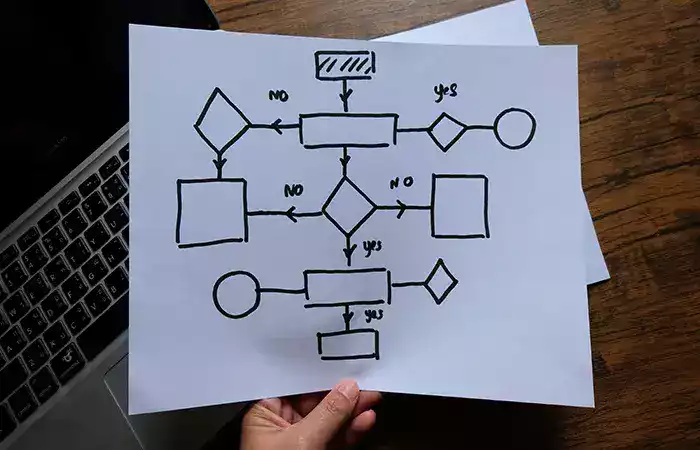
An automation workflow is a sequence of actions that happens automatically when a specific trigger occurs.
Break that down:
-
Trigger – Something happens. You receive an email. A file appears in a folder. Someone fills out a form.
-
Action – Something else happens automatically. A reply is sent. Data is copied. A notification is created.
For example: When someone fills out a contact form on your website (trigger), automatically add their information to a spreadsheet and send you a Slack message (actions).
No code required. Just a few clicks.
Why Automation Matters for Normal People
You might think automation is for tech companies with servers and engineers. That is old thinking.
Here is why automation matters for freelancers, small business owners, and anyone with a computer:
Time is your most expensive resource. Every minute you spend on repetitive tasks is a minute you cannot spend on creative work, client relationships, or simply resting.
Humans make mistakes. You will eventually copy the wrong number or forget to send that follow-up email. Automation does not get tired or distracted.
Speed matters. An automated workflow happens in seconds, not hours. Your customers get faster responses. Your systems stay updated in real time.
Scale without burnout. Without automation, doing more work means working more hours. With automation, you can handle ten times the volume without breaking a sweat.
The Mindset Shift: From Doer to Designer
Before you build your first workflow, you need to change how you think about your work.
Right now, you probably see yourself as the person who does things. You write the emails. You move the data. You send the reminders.
The shift is this: start seeing yourself as the person who designs systems so the work happens on its own.
You are not eliminating your job. You are eliminating the boring parts of your job so you can focus on what actually matters.
Every time you catch yourself doing the same task for the third time, ask: “Could this happen automatically?” The answer is usually yes.
The Core Components of Every Automation
Every automation workflow, no matter how simple or complex, has the same basic pieces.
The Trigger
The trigger is the event that starts everything. It is the “when this happens” part.
Common triggers include:
-
A new row appears in a spreadsheet
-
An email arrives in a specific folder
-
Someone submits a form
-
A file is added to a cloud folder
-
A calendar event starts or ends
-
A payment is received
The trigger is always something that happens automatically somewhere else. You do not need to build the trigger. You just tell your automation tool to watch for it.
The Actions
Actions are what happens after the trigger. These are the “do this” part.
Common actions include:
-
Send an email
-
Create a row in a spreadsheet
-
Post a message in Slack or Teams
-
Create a task in a project management tool
-
Copy a file from one folder to another
-
Send a text message
Most workflows have one trigger and one or more actions. You can chain actions together. One trigger can start a sequence of five, ten, or twenty actions.
Conditions (Optional but Powerful)
Sometimes you only want an action to happen if a certain condition is met.
For example: When a form is submitted (trigger), if the customer selected “urgent” (condition), send an immediate text message (action). Otherwise, just send an email — one of many wins covered in our guide on automating your emails.
Conditions make your automations smarter. They let you handle different scenarios without writing complex rules.
The Tools You Will Use
You do not need to learn a dozen tools. Start with one or two.
The most popular no-code automation platforms include Zapier, Make (formerly Integromat), and IFTTT. They all work on the same principle: connect this app to that app.
These tools act as the bridge between different software. Gmail does not naturally talk to Google Sheets. Your automation platform makes them talk.
Most have free plans that handle hundreds or thousands of tasks per month. For a beginner, free is plenty.
Automation Workflow 1: Save Email Attachments to Cloud Storage
This is one of the simplest and most useful automations you can build.
The problem: You receive important attachments by email. You have to download each one and save it to the right folder. You forget sometimes. Files get lost.
The solution: Every time an email arrives with an attachment, automatically save that attachment to a specific folder in Google Drive, Dropbox, or OneDrive.
How it works:
-
Trigger: New email in a specific label or folder (for example, “Invoices”)
-
Action: Save attachment to cloud folder
What you gain: Every attachment is saved instantly. You never lose a file. You do not have to touch anything.
Real-world example: A freelancer asks clients to send contracts to a specific email address. Every contract is automatically saved to a “Contracts” folder. No manual downloading. No missing files.
Automation Workflow 2: Send Automatic Thank You Emails
Customers expect fast responses. But you cannot personally reply to every single form submission or purchase.
The problem: People fill out forms on your website. They expect an immediate confirmation. Manually replying to each one is impossible at scale.
The solution: When someone submits a form, automatically send them a thank you email with next steps.
How it works:
-
Trigger: New form submission (using Google Forms, Typeform, or similar)
-
Action: Send email via Gmail, Outlook, or your email platform
What you gain: Every person gets an immediate, professional response. You build trust. You save hours of manual replies.
Real-world example: A small coach uses Google Forms for consultation requests. Each request triggers a personalized email confirming receipt and explaining what happens next. The coach never forgets to follow up.
Automation Workflow 3: Create Tasks from Emails
Important requests arrive by email. You tell yourself you will handle them later. Then you forget.
The problem: Action items get lost in your inbox. You read an email, plan to act on it, and then it disappears into the abyss of read messages.
The solution: When you label an email as “To Do” or “Action Required,” automatically create a task in your project management tool (Todoist, Asana, Trello, ClickUp).
How it works:
-
Trigger: Email labeled or moved to a specific folder
-
Action: Create task with email subject and link back to the original message
What you gain: Your to-do list reflects real requests. Nothing falls through the cracks. You stop using your inbox as a task manager.
Real-world example: A virtual assistant labels client emails that require follow-up. Each labeled email becomes a task in Asana with a due date. The assistant works from the task list, not the cluttered inbox.
Automation Workflow 4: Copy Data Between Spreadsheets
Spreadsheets are everywhere. Manually copying data between them is tedious and error-prone.
The problem: You have one master spreadsheet. But different team members need different views of the data. You copy and paste. Mistakes happen.
The solution: When a new row is added to your master spreadsheet, automatically copy specific columns to other spreadsheets.
How it works:
-
Trigger: New row added to Google Sheets or Excel Online
-
Action: Add row to another spreadsheet
What you gain: Every team member sees fresh data. No manual copying. No version confusion.
Real-world example: A small business tracks all customer inquiries in a master sheet. Sales team gets one view. Support team gets another. Both are updated automatically within seconds of a new entry.
Automation Workflow 5: Send Slack Notifications for Important Events
Slack is where your team communicates. Important events should appear there automatically.
The problem: You have to manually tell your team when something important happens. A sale. A support request. A new lead. You forget. People miss updates.
The solution: When a key event occurs (new sale, new form submission, new calendar event), automatically post a message in a Slack channel.
How it works:
-
Trigger: New event in your business tool (payment received, form submitted, etc.)
-
Action: Send Slack message with relevant details
What you gain: Your entire team stays informed in real time. No one has to check five different tools. Everyone sees what matters.
Real-world example: An online store sends a Slack message to the #sales channel every time an order is placed. The fulfillment team sees it instantly. No one has to refresh the dashboard constantly.
Automation Workflow 6: Backup New Files Automatically
You know you should back up important files. But you forget. Or you do it inconsistently.
The problem: You create files in one folder. You want copies in a backup location. Manual copying is boring and easily forgotten.
The solution: When a new file is added to a specific folder, automatically create a copy in your backup folder.
How it works:
-
Trigger: New file in folder (Google Drive, Dropbox, OneDrive)
-
Action: Copy file to backup folder
What you gain: Every important file has a backup. You never lose work. You do not have to remember anything.
Real-world example: A content creator saves all draft articles to a “Working” folder. Every new draft is automatically copied to an “Archive” folder. Even if the working file is deleted, the backup remains.
How to Start Building Your First Workflow
You have seen examples. Now let us build one.
Step 1: Identify a repetitive task.
Look at your week. What do you do over and over? What feels mindless? What takes less than five minutes but happens many times?
Write down three tasks. Pick the smallest one to start.
Step 2: Map the trigger and actions.
Ask yourself: What starts this task? That is your trigger. What do I actually do? Those are your actions.
Keep it simple. One trigger. One action. You can add complexity later.
Step 3: Choose your tool.
Sign up for a free account on Zapier, Make, or IFTTT. They all have tutorials. The interfaces are visual. You click, you do not code.
Step 4: Build and test.
Follow the tool’s prompts to connect your trigger app and your action app. Run a test. Did it work? If not, check your connections and try again.
Most failures are simple: wrong folder selected, incorrect permissions, missing test data.
Step 5: Turn it on and monitor.
Once your test passes, turn the workflow on. Check back after a day. Is everything working? Make small adjustments as needed.
Common Fears and Why They Are Wrong
“I will break something.” Automation tools do not delete your data. They copy, move, and create. You can always undo. Start with non-critical workflows if you are nervous.
“It takes too long to set up.” Building a simple workflow takes ten minutes. That same workflow saves you ten minutes every week. After one week, you break even. After a year, you have saved hours.
“I need to understand APIs and webhooks.” You do not. No-code tools hide all that complexity. You click buttons. The tool handles the technical parts.
“My work is too unique to automate.” Almost no work is too unique. The tasks that feel special often have routine parts you just have not noticed. Start with one small piece.
When Automation Does Not Make Sense
Automation is not always the answer.
Do not automate tasks that happen once a year. The setup time is not worth it.
Do not automate tasks that require genuine human judgment. AI cannot replace your expertise in complex decisions.
Do not automate tasks you enjoy doing. If you like writing personal thank you notes, keep writing them. Automation is about freeing you from what you dislike, not removing what you love.
Beyond Simple Workflows: Chaining and Branching
Once you master basic workflows, you can build more sophisticated systems.
Chaining means one trigger starts multiple actions. A new customer record triggers: a welcome email, a task for sales, a notification in Slack, and a row in your analytics sheet.
Branching means different conditions lead to different actions. A support form submission: if priority is high, send a text message; if priority is low, just log the request.
These advanced patterns sound complex, but they use the same building blocks. One trigger. Conditions. Multiple actions. You already understand the pieces.
Conclusion
You do not need to be a programmer to build automation workflows. You need to notice the repetitive tasks stealing your time and decide to do something about them. If the concept is new, our guide on what automation is lays the groundwork.
The tools exist. They are affordable. Many have generous free plans. The interfaces are visual and beginner-friendly. Thousands of people with no technical background have built workflows that save them hours every week.
Start small. Pick one task that annoys you. Save email attachments. Send automatic thank you messages. Create tasks from labeled emails. Copy data between spreadsheets — our guide on automating repetitive tasks has more ideas. Send Slack notifications. Back up important files.
Build your first workflow today. It will take ten minutes. Then watch what happens. One less thing to remember. One less copy-paste. One less mental burden.
Over time, add another workflow. Then another. You will not build everything in a day. But you can build one small thing. And that one small thing will give you back time.
Time to think. Time to create. Time to rest. Time to do work that actually requires you.
Automation is not about replacing humans. It is about letting humans be humans again. Let the machines handle the repetition. You handle the rest.
Open your automation tool. Start your first workflow. Your future self will thank you.