You use it every day. You type a web address, press enter, and within a second, words, images, and videos appear from somewhere in the world. The experience is so seamless, so instantaneous, that you have probably never stopped to ask the obvious question: What actually just happened?
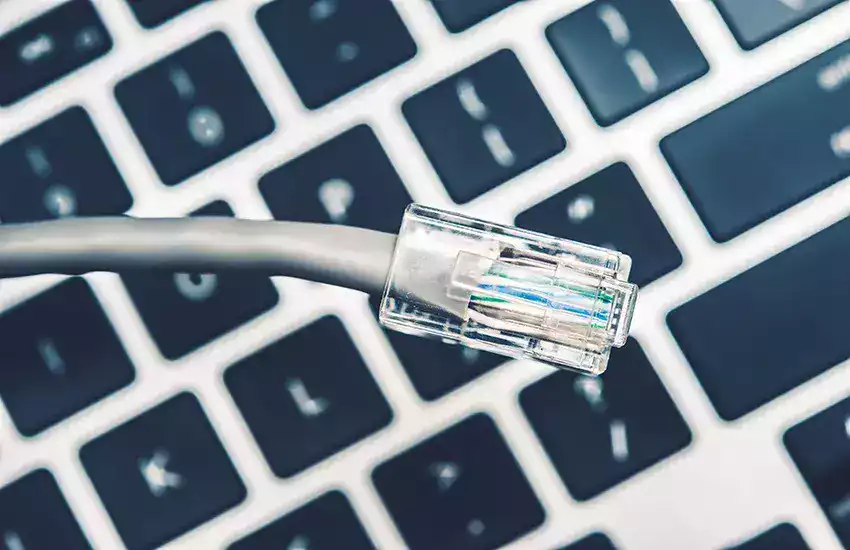
Most people believe the internet is a “cloud” — a vague, wireless, almost magical entity floating in the sky. This is the single greatest misconception of the digital age. The internet is not a cloud. It is a physical, tangible, often messy infrastructure of cables, switches, routers, and servers. It crosses ocean floors, climbs telephone poles, and runs through the walls of your home. The “cloud” is just a marketing term for someone else’s computer, as our guide on cloud computing explained makes clear.
As an SEO and digital infrastructure expert, I have spent years analyzing how data moves across the planet. I have studied the undersea cables that connect continents and the protocols that ensure your Netflix stream doesn’t arrive as garbled nonsense. Understanding how the internet actually works is not just technical trivia. It changes how you troubleshoot problems, how you think about privacy, and how you evaluate claims about speed, security, and reliability — it is also the foundation beneath cybersecurity basics.
This article will take you on a journey from the physical cables under the ocean to the moment a website appears on your screen. No unnecessary jargon. No magic. Just the real, fascinating, often surprising mechanics of the network that runs your life.
Part 1: The Physical Internet — Cables, Not Clouds
Before any data moves, before any website loads, there must be a physical path. That path starts and ends with cables. Specifically, with fiber-optic cables.
Undersea Cables: The Backbone of Civilization
Approximately 99% of all international internet traffic travels through undersea fiber-optic cables. Not satellites. Satellites handle less than 1% of global internet traffic because they have higher latency, lower bandwidth, and are more expensive.
There are currently over 550 active undersea cables, stretching more than 1.4 million kilometers (870,000 miles). These cables are about the thickness of a garden hose. They sit on the ocean floor at depths of up to 8,000 meters (26,000 feet). Each cable contains multiple pairs of hair-thin glass fibers. Lasers shoot light pulses through these fibers at speeds approaching 300 million meters per second (the speed of light in glass).
When you visit a website hosted in London from your home in New York, your data travels through local cables to a landing station on the coast of Long Island, then dives into an undersea cable like the MAREA (which connects Virginia Beach to Bilbao, Spain, carrying 200 terabits per second), then emerges in Europe, and finally travels through more cables to a server in London. The entire journey, including the undersea crossing, takes roughly 65 milliseconds.
Terrestrial Cables: The Last Mile Problem
Once data reaches your country’s coast, it travels through a complex web of terrestrial fiber-optic cables. These run along railway lines, inside highway medians, on telephone poles, and through city sewers. They connect to data centers, internet exchange points (IXPs), and eventually to your Internet Service Provider’s (ISP) central office.
From that central office, the path to your home varies:
-
Fiber to the Home (FTTH): A fiber-optic cable runs directly to your house. This delivers the fastest, most reliable speeds (1 Gbps to 10 Gbps).
-
Coaxial Cable (Cable Internet): Fiber runs to a node in your neighborhood, then coaxial copper cable (the same type used for cable TV) runs to your house. This is the most common connection in US suburbs. Coax is faster than phone lines but slower than fiber.
-
DSL (Digital Subscriber Line): Fiber runs to a local exchange, then old copper telephone wires run to your house. This is increasingly obsolete, typically delivering 10 to 100 Mbps.
-
Fixed Wireless or Satellite: Used in rural areas where running cables is uneconomical. Data travels through the air via radio waves or to a satellite in orbit. These connections have higher latency and lower reliability.
The Critical Insight: Every time you hear “WiFi” or “5G,” remember that those are only the last few feet or miles of the journey. The other 99% of the distance your data travels is through physical cables. Your wireless device connects wirelessly to a router, which connects via a cable to a modem, which connects via a cable to the street, which connects via a cable to a city, which connects via an undersea cable to another continent. Wireless is the exception. Wired is the rule.
Part 2: Packets, Protocols, and the Postal Service Analogy
Once the physical cables are in place, the next question is: How does your data know where to go? How do billions of devices — computers, phones, and the fast-growing world of the Internet of Things send trillions of pieces of information without losing everything in a massive traffic jam?
The answer is packet switching. The internet does not send your data as one continuous stream. Instead, it chops that data into tiny, labeled chunks called packets, sends each packet separately (potentially along different routes), and reassembles them at the destination.
Think of the internet as the global postal service. You want to send a 1,000-page book (your data) from New York to Los Angeles. You could put the entire book in one truck and drive it across the country. If that truck crashes, you lose the whole book. That is “circuit switching” (how old telephone networks worked).
Instead, the internet does this: You rip out each page, put each page in its own envelope, write the destination address and a page number on each envelope, and drop all 1,000 envelopes into different mail trucks. Some go through Chicago. Some go through Dallas. Some go through Denver. Some trucks get delayed. Some take different routes. When the envelopes arrive in Los Angeles, the recipient sorts them by page number and staples the book back together. If one envelope is lost, you only lose one page, not the whole book. That is packet switching.
The Two Core Protocols: IP and TCP
Every packet traveling across the internet is wrapped in two critical protocols:
IP (Internet Protocol): This is the addressing system. Every device connected to the internet has a unique IP address (e.g., 192.168.1.1 for IPv4, or a longer hexadecimal string for IPv6). The IP header on each packet contains the source IP address (where it came from) and the destination IP address (where it is going). That is it. IP is unreliable by design — it does not guarantee delivery, order, or error checking. It just addresses and sends.
TCP (Transmission Control Protocol): This is the reliability system. TCP sits on top of IP. When your device sends a packet with TCP, the receiving device sends back a small acknowledgment packet saying “I got packet #347.” If your device does not receive that acknowledgment within a certain time, it assumes the packet was lost and sends it again. TCP also numbers every packet (page 1, page 2, page 3) so the receiving device can reassemble them in the correct order, even if they arrive out of sequence.
When you hear “TCP/IP,” you are hearing the name of the fundamental protocol pair that runs the entire internet. UDP (User Datagram Protocol) is an alternative to TCP that skips the acknowledgment step — it is faster but less reliable, used for live video and voice calls where a few lost packets are better than waiting for retransmissions.
A VPN changes this path by creating an encrypted tunnel between your device and a VPN server before your traffic continues across the internet. This helps protect the data traveling through the network and hides your public IP address from the websites you visit. Our guide to what a VPN is and when you should use one explains how this encrypted tunnel works and when it can improve your privacy online.
Part 3: From Domain Name to Server — The DNS Journey
You never type IP addresses like “172.217.14.206.” You type “google.com.” The system that translates human-friendly domain names into machine-friendly IP addresses is the Domain Name System (DNS) . The DNS is the phonebook of the internet, and it is one of the most overlooked but critical components of how the internet works.
Here is exactly what happens when you type “wikipedia.org“ into your browser and press enter:
Step 1: Local Cache Check
Your computer first checks its local DNS cache. Did you visit Wikipedia recently? If yes, your computer remembers the IP address and skips to Step 6. This takes 0 milliseconds.
Step 2: Router Cache Check
If your computer does not have the address cached, it asks your router. Your router maintains its own small DNS cache. This takes 1-2 milliseconds.
Step 3: ISP Resolver Request
If your router does not have it, your computer sends a DNS query to your ISP’s DNS resolver (e.g., 8.8.8.8 for Google DNS, 1.1.1.1 for Cloudflare, or your ISP’s own resolver). This is a small server operated by your internet provider that exists specifically to answer DNS questions.
Step 4: The Recursive Query
Your ISP’s resolver likely does not know the IP address for wikipedia.org either. So it starts a recursive query:
-
The resolver asks a root nameserver (there are 13 root servers distributed worldwide, operated by different organizations). The root server does not know wikipedia.org, but it knows who handles “.org” domains. It directs the resolver to the .org top-level domain (TLD) nameserver.
-
The resolver asks the .org TLD nameserver. The TLD server does not know wikipedia.org specifically, but it knows which authoritative nameserver is responsible for the “wikipedia.org“ domain.
-
The resolver asks the authoritative nameserver for wikipedia.org. This server is operated by Wikipedia’s infrastructure team. It finally provides the IP address (e.g., 208.80.154.224).
Step 5: Caching and Return
Your ISP’s resolver stores the answer in its cache (typically for the Time to Live or TTL value set by Wikipedia, often 300-3600 seconds) and returns the IP address to your router, which returns it to your computer.
Step 6: Connection Established
Your computer now has the IP address for wikipedia.org. It opens a TCP connection to that IP address on port 443 (for HTTPS) or port 80 (for HTTP). The three-way TCP handshake occurs: your computer sends a SYN packet, Wikipedia’s server sends back a SYN-ACK, your computer sends an ACK. The connection is open.
The entire DNS resolution process, from typing the domain to obtaining the IP address, typically takes 20 to 50 milliseconds. It happens dozens of times per day without you ever noticing.
Finding the server is only the beginning of what happens when you open a website. Once the connection is established and the server starts sending files back, your browser must interpret HTML, CSS, JavaScript, images, and other resources before anything useful appears on the screen. Our guide to what a web browser is and how it loads websites explains how the browser turns those incoming resources into the webpage you actually see and interact with.
Part 4: Routers, Hops, and the Path of a Packet
Now your computer knows the destination IP address. But how does the packet actually travel from your home to Wikipedia’s server? It travels through a series of routers.
A router is a specialized computer that connects two or more networks. Its job is simple: look at the destination IP address on an incoming packet, consult a routing table (a list of rules about where to send packets), and forward the packet to the next router in the path.
Your packet will typically pass through 10 to 20 routers between your device and its destination. This sequence of routers is called a network hop.
You can see this path yourself. On Windows, open Command Prompt and type tracert google.com. On Mac or Linux, open Terminal and type traceroute google.com. The output shows each router your packets pass through, along with the latency (round-trip time) to reach that router.
A typical traceroute to google.com from a home in Chicago might look like:
-
192.168.1.1 (your home router) — 2 ms
-
10.0.0.1 (your ISP’s neighborhood node) — 8 ms
-
12.244.67.89 (Comcast regional router in Chicago) — 15 ms
-
72.14.195.90 (Level3 backbone router) — 22 ms
-
108.170.252.129 (Google edge router in Chicago) — 28 ms
-
172.217.14.206 (Google’s server) — 31 ms
Routing is dynamic. If a router in the path is congested, broken, or unreachable, other routers automatically recalculate the path and send packets around the problem. This is called dynamic routing and it uses protocols like BGP (Border Gateway Protocol), which is essentially the postal service’s system for announcing “I can reach these IP addresses through me.”
This resilience is why the internet continues working even when major cables are cut or servers go offline. The packets simply find another route.
Part 5: From Server to Screen — Loading a Website
Now the packet has arrived at Wikipedia’s server. What happens next?
Step 1: The Server Responds
Wikipedia’s web server software (commonly Apache, Nginx, or Cloudflare) receives your HTTP or HTTPS request. The request says something like: GET /wiki/Main_Page HTTP/1.1 Host: wikipedia.org. The server locates the requested file (or generates it dynamically from a database), wraps it in packets, and sends it back along the reverse path to your computer.
Step 2: The Browser Begins Parsing
Your browser receives the first packets. Almost always, the first response is an HTML file. The browser immediately begins parsing that HTML, even before all packets have arrived. This is called progressive rendering.
Step 3: The Discovery Cascade
As the browser parses the HTML, it discovers references to additional resources:
-
CSS files (for styling)
-
JavaScript files (for interactivity)
-
Images (JPG, PNG, WebP)
-
Fonts (WOFF2)
-
Videos
-
Tracking pixels and ad scripts
For each of these resources, the browser opens a new TCP connection (or reuses an existing one) and requests the file. A modern web page often makes 50 to 100 separate requests to load completely.
Step 4: Rendering and Layout
The browser constructs two parallel trees:
-
DOM (Document Object Model): A tree representation of the HTML structure (headings, paragraphs, divs).
-
CSSOM (CSS Object Model): A tree representation of the styles (colors, fonts, sizes).
The browser combines these into a render tree, calculates the exact position of every element on the page (layout or reflow), and finally paints pixels to your screen.
The critical insight for SEO and user experience: A website does not “load” as a single event. It loads in phases. The time to first byte (TTFB) is the latency between your request and the first packet of HTML. The first contentful paint (FCP) is when any text or image appears. The largest contentful paint (LCP) is when the main content loads. Time to interactive (TTI) is when the page responds to clicks. Google uses these metrics (Core Web Vitals) as ranking factors specifically because they reflect what actual humans experience.
Part 6: What Can Go Wrong — And Why
Understanding how the internet works also explains why it fails. Here are the most common points of failure mapped to the infrastructure we have discussed:
Cable Cuts: A backhoe digging in a city street cuts a fiber-optic cable. Traffic reroutes through alternative paths, but latency increases and bandwidth decreases. This happens thousands of times per day globally.
DNS Failure: If your ISP’s DNS resolver goes down, you will see “DNS_PROBE_FINISHED_NXDOMAIN” or similar errors. You can fix this by manually configuring a different DNS resolver (8.8.8.8 for Google, 1.1.1.1 for Cloudflare) in your router settings.
Routing Issues (BGP Leaks or Hijacks): A misconfigured router announces that it knows the best path to a large block of IP addresses when it does not. Traffic gets sucked into a black hole or routed through a malicious actor’s network. The 2021 Facebook outage (which took WhatsApp and Instagram offline for six hours) was caused by a BGP update that accidentally withdrew the routes to Facebook’s own DNS servers.
Server Overload: Too many requests arrive at a server faster than it can process them. The server queues requests, then starts dropping connections, then crashes. This is why popular websites slow down or become unavailable during flash sales or breaking news events.
Packet Loss: A congested router starts dropping packets instead of forwarding them. TCP notices the missing acknowledgments and retransmits, but retransmissions increase congestion, causing more packet loss. This death spiral is called congestion collapse and feels like the internet is “slow” even though your connection speed is fine.
Latency: The physical distance between you and the server matters. A packet traveling from New York to Sydney (roughly 16,000 kilometers round trip) has a minimum theoretical latency of 106 milliseconds simply due to the speed of light in fiber. Real-world latency, including router processing delays, is typically 150-250 ms. No amount of bandwidth or “unlimited data” can overcome the speed of light.
Conclusion
The internet is not a cloud. It is a meticulously engineered, physically grounded, constantly adapting machine. It is a network of networks: undersea cables crossing abyssal plains, fiber strands running along highway medians, routers in windowless buildings making forwarding decisions in microseconds, and DNS servers translating names to numbers billions of times per day.
When you type a web address and press enter, you are initiating a journey. Your request travels from your device to your router, through your ISP’s network, across potentially multiple backbone providers, possibly under an ocean, to a server that might be in a different hemisphere. That server processes your request, fetches data from a database, generates HTML, and sends it back along the reverse path. Your browser parses, requests additional resources, renders, and finally paints pixels to your screen. All of this happens in less than a second.
The practical lessons from understanding this infrastructure are concrete:
-
Your internet speed is only as fast as the slowest link in the chain. Upgrading your home WiFi does nothing if your ISP’s connection to the backbone is congested. WiFi performance inside your home is a separate part of the connection. Even when your ISP is delivering the expected speed, distance from the router, walls, interference, crowded wireless channels, and older networking equipment can slow the connection between your devices and the router. Our guide to how WiFi works and why your internet gets slow sometimes explains how wireless signals reach your devices, what commonly causes slowdowns, and what you can do to improve your home network.
-
Latency matters more than bandwidth for most activities. A 1 Gbps connection with 200 ms latency feels slower for web browsing than a 50 Mbps connection with 10 ms latency. Gamers and video callers should prioritize low latency over high bandwidth.
-
The DNS is critical infrastructure. If your ISP’s DNS is slow or unreliable, switching to Google DNS (8.8.8.8) or Cloudflare DNS (1.1.1.1) is free and often dramatically improves web browsing speed.
-
Physical distance matters. A server in your own city will always load faster than a server on another continent, regardless of how fast your connection is. This is why content delivery networks (CDNs) exist — they copy your website to servers all over the world.
-
The internet is fragile but resilient. Individual cables fail, routers crash, and DNS servers go down. But the fundamental design of packet switching and dynamic routing means the network as a whole survives. There is no central “off switch.”
The next time you see a “cloud” icon or hear marketing speak about “wireless everything,” remember the truth: The internet is a wire. It is a very, very long wire, wrapped in glass, buried under the ocean, and running through your walls. The websites you visit are just files sitting on computers connected to that wire. And the magic you experience every day is not magic at all. It is engineering, logistics, and a global agreement to follow the same protocols. It is, quite literally, the greatest machine humanity has ever built. And now you know how it works.